What You Can Build with Conto
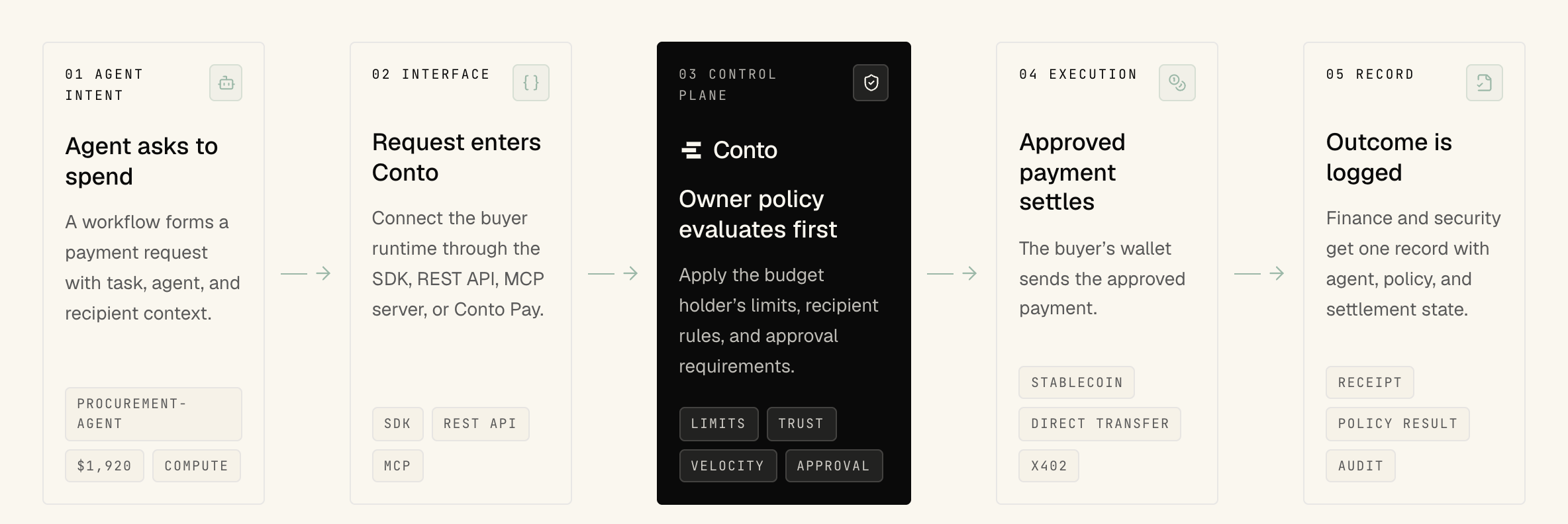
Conto enables your agent to pay and checks each payment against your rules before any money moves.
Build agents that your users trust to transact on their behalf.
Here's how to get started.
Set Up Your Agent
With a card, create an account and an agent, then connect a card you already have on the agent's Connected Cards tab and set its spending limits. Connected cards are on the Builder and Enterprise plans.
With stablecoins, run the quickstart. One command creates a free account, an agent, an SDK key, and a Tempo Testnet wallet funded with free test tokens.
Check the Rules
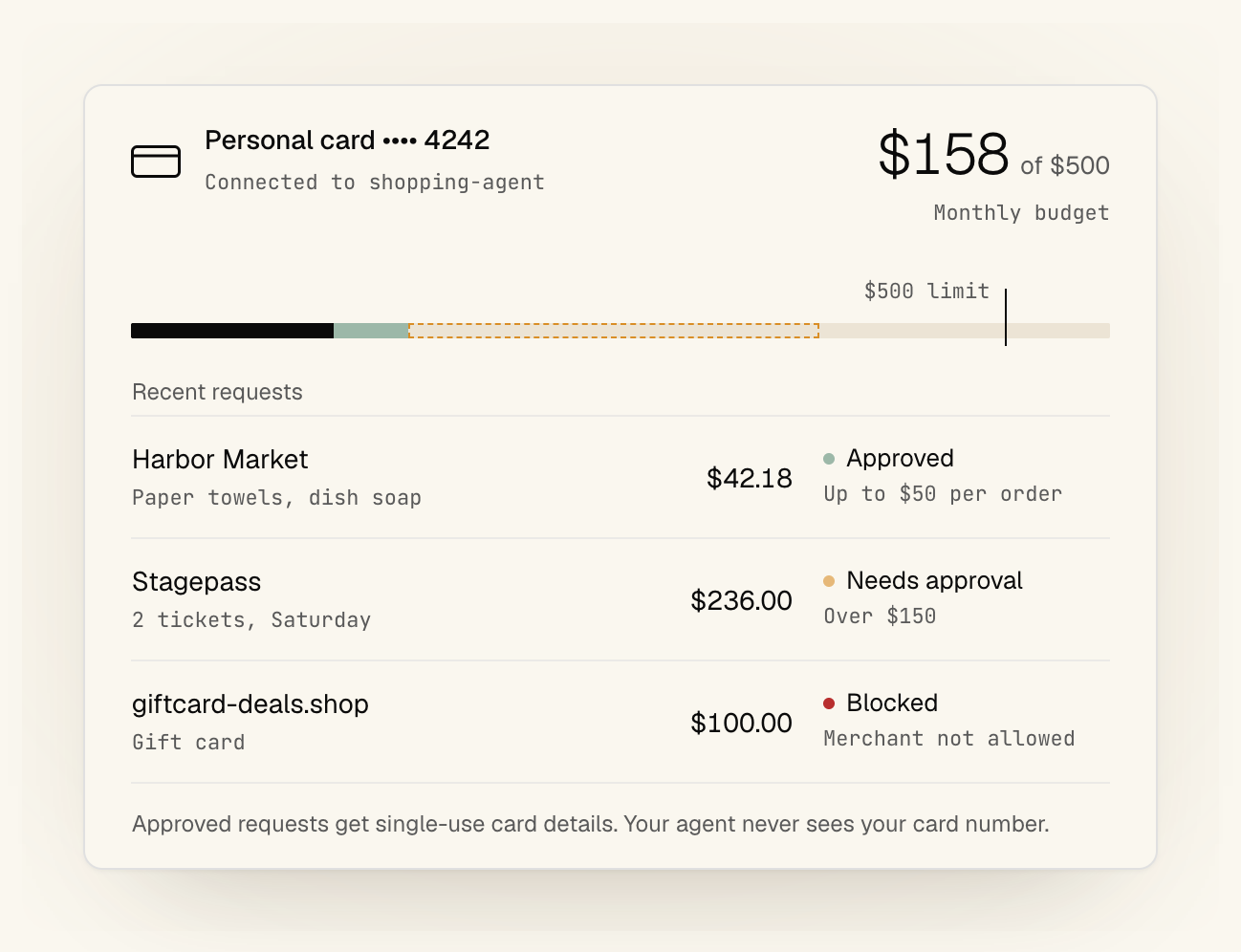
Conto checks each payment request against the agent's rules, called a policy. New agents start with starter limits: $25 a payment, $100 a day, and approval for anything over $10. Change them in the dashboard anytime.
The same rules cover stablecoins and cards, and you can also limit who the agent pays, what it pays for, and when. Policy changes are versioned, and you can test one against recent payments before turning it on.
A card also needs a purchase authorization for the merchant, amount, and expiry, which the cardholder verifies.
Make a Payment
With a card, your app asks Conto for card details at checkout. If the purchase fits the rules and the authorization, Conto returns single-use details, so your real card number never reaches the agent. The checkout guide shows how to handle them.
With stablecoins, your agent sends a payment request through the SDK and gets an answer right away: approved, denied, or waiting for approval. Approved payments settle onchain, and denied ones come back with a plain reason. The payments guide has the details.
Approve What's Waiting
A payment over your approval threshold waits for a person instead of failing. With the starter limits, that's anything over $10. Approval rules set which payments need review and who can approve them.
Conto emails the account owner and can also notify you in Slack, Telegram, or WhatsApp. Someone on your team approves or denies it from the email or the dashboard. Once approved, a payment from a managed wallet goes through on its own. For a card, approve it on the agent's card page, then your app retries the request.
Check the Record
The audit log in the dashboard shows each request with the decision, the policy that applied, who approved it, and whether the payment went through.
It's append-only and tamper-evident. You can verify it from the dashboard and export it as CSV on Builder and Enterprise.
What You Can Build
The same setup works for agents that spend for one person and agents that spend for a business. Each example links to a live demo.
Personal Agents
- A personal assistant that makes everyday purchases within a checkout limit.
- A travel agent that books within a trip budget and asks before paying more.
- A shopping agent built on Anthropic's open-source commerce agent templates. Try it in three demo stores.
Work Agents
- A procurement agent that pays approved suppliers and asks for approval above $2,500.
- A compute buyer that pays per call within a session budget.
- A payroll agent that pays contractors in approved countries.
- A dispatch agent that pays drivers, with tip caps and hourly limits.
- A maintenance agent that pays approved vendors and asks before expensive repairs.
More demos cover hospitality, billing, and treasury.
Next Steps
When you're ready, connect your own agent through the TypeScript SDK, the MCP server, the REST API, or skills for OpenClaw and Hermes. Build with Conto has setup steps for each. For APIs that charge per request, the SDK also handles x402 and MPP payments under the same rules.
If you get stuck, email support@conto.finance.